
Advertisement
Nearly 70% of American workers want to use AI for routine tasks. They say it would save them just one hour a day. This shows AI assistants are becoming real helpers for many people.
Apple Siri, Amazon Alexa, Google Assistant, Microsoft Copilot, and OpenAI’s ChatGPT are changing our lives. They are becoming key parts of our daily routines. Thanks to better understanding of natural language and more connected devices, they are getting smarter and more helpful.
People want tasks done quickly and smoothly. AI can help by organizing calendars, writing messages, setting reminders, and finding important info. This saves us from switching between tasks too often.
In this article, you’ll learn about AI assistants and their roles. We’ll look at how they are being used in both personal and work settings. You’ll get tips on choosing and using AI assistants to boost your productivity.
By the end, you’ll know how to pick and use AI assistants to make your daily life easier.
What Are AI Assistants and How Do They Work?
AI assistants are software agents that help people with tasks through simple interfaces. They range from basic chatbots to advanced virtual assistants. Users can type or speak to them, and they respond with helpful actions or answers.

Definition of AI Assistants
At their core, intelligent assistants act as proxies for users. Voice-based examples include Apple Siri and Amazon Alexa. Text-first examples include ChatGPT and Microsoft Copilot.
Many platforms have digital helpers, like Google Assistant on Android or Samsung Bixby on phones.
Overview of Their Functionality
These systems use natural language processing to understand user input. They also use machine learning for prediction and personalization. Dialogue management keeps track of conversations so the assistant can follow the context.
APIs and cloud services connect assistants to apps, calendars, email, and smart home devices. They can do things like information retrieval, scheduling, reminders, and task automation.
Limitations include misunderstandings from vague language and occasional hallucinations in generative models. Latency and internet connectivity can affect how quickly they respond. Privacy protections vary by provider, and users should check settings before sharing sensitive data.
Interoperability uses SDKs, APIs, and standards like OAuth for secure authentication. This design helps conversational AI and chatbots work smoothly within larger systems. It makes intelligent assistants more useful across devices and services.
The Rise of AI Assistants in Daily Life
Smart assistants have become essential in just a few years. They help with simple tasks, answer questions, and automate things. This change is thanks to better technology, more devices, and tools for developers.
Popular AI Assistants in the Market
Apple Siri is built into iOS and macOS, always near your devices. Amazon Alexa powers the Echo, linking many smart home devices. Google Assistant works on Android phones and Google Nest speakers, offering great search.
Microsoft Copilot boosts productivity in Microsoft 365 apps. OpenAI’s ChatGPT is a text-based model for both personal and business use. Workplace bots in Slack and Teams automate tasks and share data within teams.
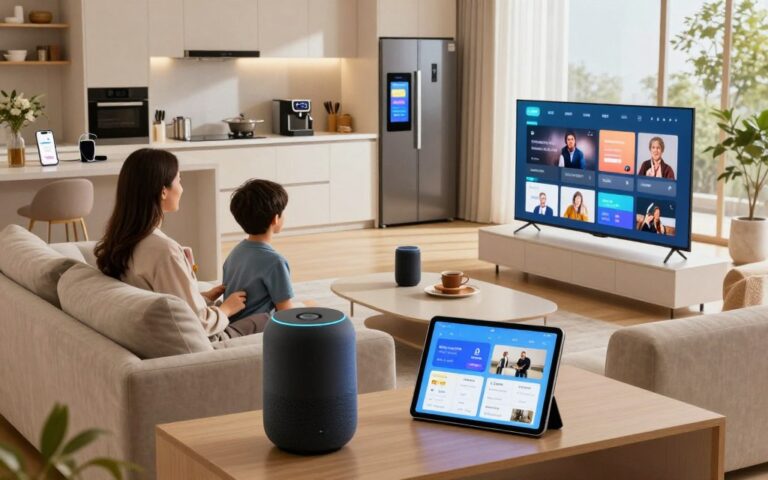
These AI assistants are everywhere: in smart speakers, smartphones, wearables, and cars. They make daily tasks easier by integrating with devices.
Statistics on AI Adoption
More people are using voice and smart assistants every day. Big platforms have hundreds of millions of users each month. In the U.S., many have voice assistants on their phones.
Smart speaker use has grown every year, bringing more into voice interactions. Companies are adding AI to boost productivity. Chatbots and workplace bots are becoming common in Slack and Teams.
Younger users like voice assistants for music and quick searches. Older users prefer them for alarms and navigation. Improved technology and lower costs are making AI assistants more popular.
| Assistant | Primary Platform | Common Uses | Distribution Channels |
|---|---|---|---|
| Apple Siri | iOS, macOS | Phone control, navigation, reminders | iPhone, iPad, Mac, Apple Watch |
| Amazon Alexa | Echo ecosystem | Smart home control, shopping, media | Echo speakers, Fire TV, third-party devices |
| Google Assistant | Android, Google Nest | Search, navigation, calendar | Android phones, Nest speakers, cars |
| Microsoft Copilot | Microsoft 365 | Document drafting, email summaries, data insights | Office apps, Teams |
| OpenAI ChatGPT | Web, API | Text-based conversation, research, drafting | Web apps, integrations via API |
| Workplace Bots | Slack, Microsoft Teams | Task automation, notifications, knowledge retrieval | Enterprise messaging platforms |
Key Features of Effective AI Assistants
Effective intelligent assistants have strong language skills and connect well with apps. They should understand what users mean, keep track of conversations, and work across services smoothly. Here are the main features that make assistants truly useful.
Natural Language Processing Capabilities
Great natural language processing lets assistants get what users want. They can recognize intent, extract important information, and sense how users feel. This helps them understand commands like “book a meeting with Laura next week” or “find the invoice from March.”
Keeping track of conversations is key for smooth chats. If a user mentions “that report” later, the assistant should remember it. Models like the GPT-family help by understanding long conversations and responding well.
Being able to handle voice, text, and images makes assistants more accessible. They can recognize a photo of a product, listen to a quick request, or take detailed notes. This makes tasks like identifying objects or extracting text from an image easy and natural.
How fast an assistant responds affects how well it works. Quick responses make conversations feel natural. Designers use edge processing for fast tasks and cloud inference for complex ones, balancing speed, model size, and privacy.
Integration with Other Apps
Working well with calendars, email, task managers, CRM systems, cloud storage, and smart home platforms makes language into action. Connectors for Google Calendar, Microsoft Outlook, Gmail, Todoist, Asana, Trello, Salesforce, Dropbox, and Google Drive let assistants schedule meetings, create tasks, or pull files on demand.
Automations and workflows add a lot of value. When an assistant links to Zapier, IFTTT, or native tools, it can do complex tasks. For example, it can turn an email into a Trello card, schedule follow-ups, or send reminders when a document is updated.
Security and permissions are important for trust. OAuth gives a standard way to access accounts safely. Users can choose what they want to share, and clear prompts and logs protect their data.
| Feature | What It Enables | Real-world Example |
|---|---|---|
| Intent Recognition | Maps user phrasing to actions | Assistant creates a calendar event from “Set a meeting with Sarah tomorrow” |
| Context Retention | Keeps multi-turn conversations coherent | User asks about “the invoice” after discussing a client; assistant fetches the right file |
| Multimodal Input | Accepts voice, text, and images | Upload a photo of a receipt to auto-fill expense reports |
| App Integrations | Executes tasks across services | Creates a Todoist task from an email in Gmail |
| Automation | Chains actions into workflows | After a meeting, assistant updates Salesforce and sends follow-up emails |
| Secure Permissions | Controls data access and consent | OAuth flow allows read-only calendar access for scheduling |
AI Assistants for Personal Productivity
AI assistants make daily tasks easier. They handle scheduling, sort messages, and keep to-do lists updated. These tools learn your habits and suggest tasks that fit your schedule.
Scheduling and Calendar Management
AI scheduling tools check multiple calendars and find the best meeting times. Microsoft Outlook and Google Calendar offer smart suggestions. This saves time by avoiding back-and-forth emails.
They consider your preferences like meeting length and commute time. This helps plan meetings that work best for you. Email tools summarize threads and draft replies, making inbox management faster. Gmail and Microsoft Outlook’s Copilot help prioritize and respond to emails quickly.
Task Reminders and Lists
Digital assistants keep tasks organized and remind you when it’s time. You can set reminders based on time or location. Apple Reminders and Google Tasks link with calendars and messages, turning emails into tasks.
Tools like Todoist sync tasks across devices. This means your to-do list is up to date everywhere. AI learns your best times for reminders, making them more effective. Voice assistants offer hands-free task management, helping those with mobility or visual impairments.
| Feature | How It Helps | Example Tools |
|---|---|---|
| Cross-calendar scheduling | Reduces conflicts by checking work and personal calendars simultaneously | Google Calendar, Microsoft Outlook |
| Automated invites & rescheduling | Saves time and keeps meetings up to date with minimal input | x.ai, Microsoft Copilot |
| Email triage & draft replies | Shortens inbox time and surfaces priority messages | Gmail Smart Compose, Outlook Copilot |
| Task syncing & reminders | Keeps to-dos consistent across devices with timely alerts | Todoist, Apple Reminders, Google Tasks |
| Personalization | Adjusts suggestions to user habits like meeting length and focus hours | Smart calendar features, personalized AI assistants |
| Voice accessibility | Enables hands-free task management for users with mobility or visual needs | Siri, Google Assistant, Amazon Alexa |
AI Assistants in the Workplace
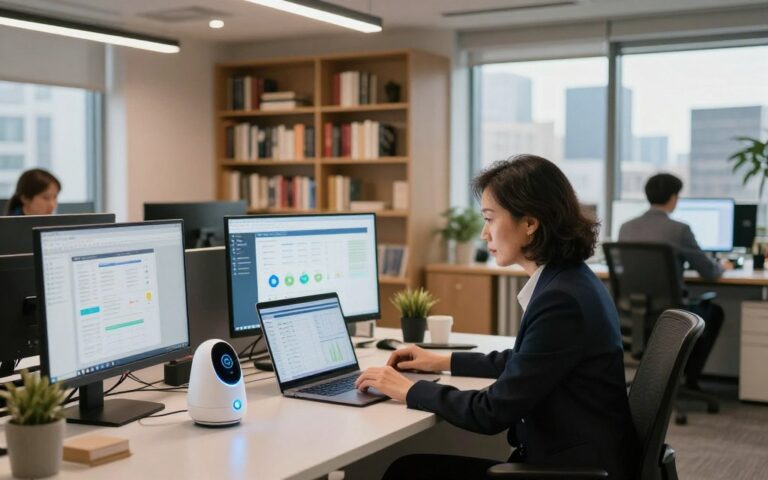
Workplaces use intelligent assistants to boost productivity and reduce friction. These tools range from simple virtual assistants to full-featured enterprise chatbots. They help keep teams aligned and support secure deployments.
Enhancing Team Collaboration
In platforms like Slack, Microsoft Teams, and Google Workspace, virtual assistants help a lot. They summarize threads, pull up documents, and highlight meeting decisions. Microsoft Copilot even suggests next steps.
Slack bots automate reminders and status queries. This lets teams focus on their work, not chasing updates. Meeting assistance includes real-time transcription and automated note taking.
Tools like Otter.ai provide live transcription and highlight reels. Zoom offers AI meeting summaries that capture key points. Microsoft Teams records meetings and provides searchable transcripts.
Streamlining Administrative Tasks
Virtual assistants automate tasks like expense reporting and HR onboarding. They also handle travel booking and form filling. AI extraction reads receipts and categorizes charges.
AI-driven help desks use enterprise chatbots to answer common questions. They route tickets and escalate issues when needed. Intelligent assistants compile reports and populate dashboards.
This reduces manual data entry and shortens reporting cycles. Teams get faster access to accurate information. This improves decision speed and lowers overhead.
Security and compliance are key for enterprises using AI assistants. They implement data residency rules and audit logs. Single Sign-On integration and strict permissioning protect sensitive records.
How AI Assistants Improve Time Management
AI assistants are changing how we organize our work and daily lives. They take on repetitive tasks, guide our choices, and help us focus. This lets professionals spend more time on important tasks.
Automating Routine Tasks
Smart assistants handle tasks like scheduling meetings and sending emails. They also set reminders and create basic reports. This frees us from doing the same tasks over and over, making our time management better.
Automation uses tools like macros and integrations. For example, an assistant can create calendar invites after a call and send a follow-up email the next day.
Batch processing and smart batching help us work better. Assistants group similar tasks and suggest focused work blocks. This reduces distractions and speeds up task completion.
Reducing Decision Fatigue
AI assistants help us make fewer decisions by offering clear options. They suggest replies and pick meeting times based on our preferences. They also fill in form fields, saving us mental effort.
Personalization makes our choices faster. By learning our routines and priorities, smart assistants automate decisions. This means we face fewer interruptions and can finish work quicker.
Time blocking and focus features help us stay focused. Assistants create focus blocks, silence notifications, and suggest work-break rhythms. These features help us manage our time better and work more deeply.
Studies show that automating routine tasks and decision support save time. The exact amount saved varies, but many teams see clearer schedules and fewer interruptions with AI assistants.
Real-World Examples of AI Assistants in Action
AI assistants are now part of our daily lives. They move from lab tests to real-world use. Here, we see how they help in different fields and the benefits they bring.
Healthcare
Virtual assistants help by answering patient questions and booking appointments. They also summarize clinical notes. This saves doctors’ time and lets them focus on patient care.
Finance
In finance, chatbots handle customer queries and robo-advisors guide portfolios. Financial advisors use them to create reports for clients. This makes customer service faster and more efficient.
Retail and E-commerce
Chatbots help online shoppers find products and get support. They handle busy times well. Retailers see more sales and less support requests.
Legal and Professional Services
Law firms use AI for drafting contracts and research. It helps junior staff do more important work. Firms save time and deliver faster to clients.
Education
Schools use bots for study planning and grading. Teachers get summaries to find student gaps quickly. Students get study plans that fit their needs.
Notable Success Stories
Microsoft Copilot automates tasks for knowledge workers. Retailers see a drop in live-agent calls. Teams save time in meetings and have more hours for work.
Lessons learned
Good training data and clear setup are key. Track KPIs to see benefits. Start small and improve to achieve success.
Privacy and Security Concerns with AI Assistants
AI assistants make our lives easier and more productive. But, they also raise important privacy concerns. It’s crucial for users and IT teams to address these issues seriously. Clear guidelines help us enjoy the benefits while keeping our data safe.
Data Collection and Privacy Risks
Digital assistants collect a lot of data. This includes voice recordings, calendar info, and even what you type. While this data helps personalize our experiences, it also poses risks.
There’s a chance of unauthorized access to our data. Companies might keep our data for too long, creating profiles without our consent. Also, third-party integrations can increase the risk of data breaches.
Reading privacy policies from Apple, Google, Amazon, and Microsoft helps understand how they handle our data. It’s important for businesses to check if their AI solutions meet healthcare standards and protect children’s data.
Best Practices for Safe Usage
- Limit permissions. Only give the assistant the access it needs, and use specific consent when possible.
- Choose on-device processing when you can. This reduces cloud risks and keeps your data safer.
- Use strong authentication and role-based access controls to enhance digital assistants security.
- Regularly review and delete voice recordings or transcripts if you don’t want them kept. Many vendors let you manage these settings.
- Look for vendors with SOC 2, ISO 27001, or similar certifications. Ask about data residency to build trust in secure AI assistants.
- Be open with your team about what the assistant can access and how it’s used. This reduces the risk of sharing sensitive information.
- Require human checks for important tasks to avoid errors. Always verify information before making decisions.
By following these steps, we can enjoy the benefits of AI assistants while keeping our data safe. These practices make AI assistants a valuable part of a secure digital environment at work and home.
The Future of AI Assistants
The next wave of intelligent assistants will combine strong models with small, task-specific engines. This will make it easier to switch between text, voice, images, and video. Apple and Google’s on-device inference will make responses faster and keep data private.
These assistants will work better with apps and open systems. They’ll handle complex tasks across different apps. Companies like Microsoft and Google are adding copilot features to their suites.
Domain-focused assistants will appear for areas like healthcare, finance, and law. They’ll offer specialized knowledge quickly, without a long setup.
Trends to Watch in AI Development
Foundation models will become more efficient, while smaller models tackle specific tasks. Multimodal systems will let users ask questions about various media in one go. Federated learning and differential privacy will enhance personalization without sharing raw data.
Edge ML will cut down on latency and boost privacy. This will make AI assistants more reliable on phones and wearables. Expect more app-to-app automation and standard APIs for cross-platform experiences.
Conversational AI trends show a move toward natural, context-aware dialogs. These dialogs will remember user preferences across sessions.
Predictions for User Adoption
Adoption will grow as trust and accuracy improve. Routine tasks will shift to AI assistants, freeing people for more important work. Hybrid human-AI workflows will become common in knowledge jobs, changing task assignments.
Voice and conversational interfaces will spread to cars, AR/VR headsets, and wearables. This will make interactions hands-free and ambient. Regulatory scrutiny will shape deployments, pushing vendors to offer clear privacy controls and audit logs.
Paid premium features in suites like Microsoft 365 will increase as businesses seek advanced automation. Economic gains will be real, but companies must plan for reskilling and change management. Clear governance and transparent performance measures will determine which assistants earn long-term trust and acceptance.
Tips for Choosing the Right AI Assistant
Start by knowing what you need. Make a list of your main goals, like scheduling or customer service. Also, think about the platforms you use, such as iOS or Windows. Don’t forget about privacy and budget, from free to enterprise plans.
Then, figure out what integrations you need. Check if the assistant works with Google Workspace or your CRM. Decide if you prefer voice or text commands. Test it with a small group to see how it works before using it everywhere.
When comparing virtual assistants, look at their strengths. Siri is great for iOS and privacy. Google Assistant is good at searching and works across devices. Amazon Alexa is top for smart homes, and Microsoft Copilot boosts productivity in Microsoft 365.
OpenAI’s ChatGPT is good for writing and ideas. Drift or Intercom are great for chatbots in big companies. Use a checklist to compare: check integrations, privacy, and training needs. This way, you can find the best AI assistant for your team.