
Advertisement
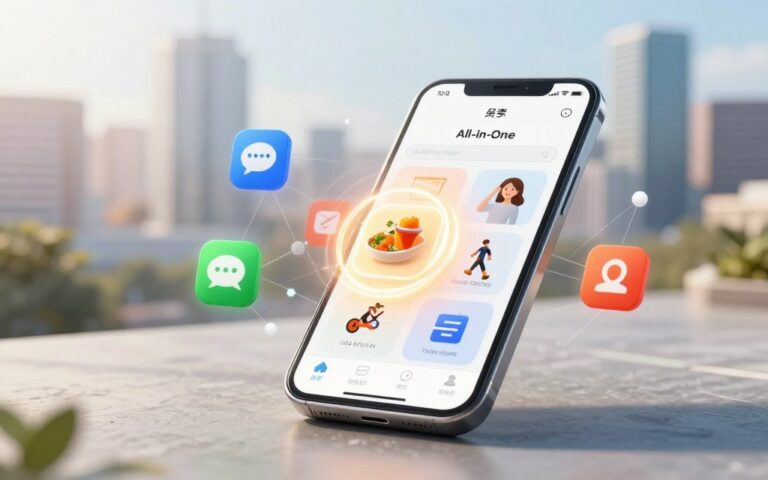
More than 85% of American adults use at least one smart device every day. This change has made gadgets a part of our daily lives. It has also changed how we work, shop, and connect with others.
The technology lifestyle is a big change in how we use devices and services. Companies like Apple, Google, Microsoft, Samsung, and Amazon lead this change. They create gadgets and services that shape our routines.
Automation saves us time, and collaboration tools help us get more done. We can even access healthcare or banking from our phones. Mobile apps and social platforms like Facebook, Instagram, X, and TikTok also change how we interact with each other.
On the economic side, tech giants and startups influence labor markets and urban planning. They also shape our demand for personalization. Remote and hybrid work models are changing where we live and how cities grow.
In this article, we’ll dive into smart living and the connected home. We’ll also look at mobile influence, remote work, health tech, edtech, sustainability, and AI’s role in jobs. Plus, we’ll share practical tips to adapt to these futuristic trends that impact our daily lives.
Understanding the Technology Lifestyle
You live in a world where connected services and networked systems shape daily choices. The technology lifestyle combines smart devices, cloud services, and apps. It boosts convenience, productivity, entertainment, and wellness.
What Does Technology Lifestyle Mean?
The term refers to the integration of connected devices and digital services into routine tasks. Pew Research Center data shows broad device ownership and frequent internet use. Gartner highlights growing consumer adoption of smart products.
Subscription platforms like Netflix and Spotify set expectations for instant access and personalization. Cloud storage from Google Drive, iCloud, and Microsoft OneDrive lets you access files from any device. E-commerce leaders such as Amazon shape how you shop and receive goods.
Key Trends Shaping Your Daily Life
Wearable tech from Apple Watch and Fitbit tracks health and steps. Voice assistants such as Amazon Alexa and Google Assistant let you control lights, music, and reminders with simple commands.
Smart home hubs bring appliances, thermostats, and security into a single interface. Grocery ordering through Instacart or Amazon Fresh shortens errands. Rideshare apps affect commuting choices while on-demand streaming changes how you watch shows.
Digital wellness has become central. Apple and Google add screen time tools and mental health features. These practices pair with tech solutions that aim to reduce overload and support healthier routines.
The Role of Smart Devices in Your Home
Smart living makes daily tasks easy to manage. A connected home offers comfort, safety, and savings. Modern gadgets save time and cut down on energy costs.
Smart appliances offer real benefits. A Samsung Family Hub fridge keeps track of groceries and cuts down on waste. The June Oven cooks food perfectly with step-by-step recipes.
iRobot Roomba robot vacuums clean floors while you do other things. Nest and ecobee thermostats learn your schedule and save on heating and cooling.
Apple HomeKit, Google Home, and Amazon Alexa connect devices in one place. You can control lights, climate, and cameras with one app or voice command. Matter is coming to make mixing brands easier.
Smart thermostats and energy-monitoring plugs save energy and money. They adjust schedules and cut standby power. Over time, you’ll save money that offsets the cost of these devices.
Morning and evening routines make life easier. Mornings can start the thermostat, brew coffee, turn on lights, and check your schedule. Evenings can lock doors and secure your home with Ring or Arlo cameras.
Choose devices with security updates and long-term support. Pick gadgets that fit your ecosystem and check for Matter support. Regular updates and clear privacy policies make your home more reliable.
You can start with one smart appliance and add more as you see fit. The right mix of gadgets will make your home more responsive to your needs.
The Impact of Mobile Technology on Your Life
You use mobile technology every day. Smartphones from Apple, Samsung, and Google are key for calls, payments, and navigation. They also help with work and keep your life organized.
The app economy brings new solutions for daily needs. Services like Uber and DoorDash change how we move and eat. Apps like Venmo help with money management.
Wellness apps like Headspace improve sleep and focus. The App Store and Google Play have billions of downloads. This shows a huge demand for specialized tools.
Push notifications and personalization change how you interact. They create the need for quick responses. This can make you feel connected yet distracted.
Social platforms shape how we find news and shop. Instagram Shopping and TikTok trends make buying social. They help small businesses and create communities. But, be careful of misinformation and its impact on mental health.
Improving app hygiene is key. Manage permissions and turn off nonessential notifications. Use privacy tools to protect your data. This way, you can enjoy the benefits of mobile technology.
Use mobile technology wisely. Pick apps that fit your needs and limit alerts. Balance screen time with offline activities. This way, you stay connected and in control of your day.
Changing Work Environments: Remote and Hybrid Models
Work life has changed a lot since COVID-19. Companies like IBM and Microsoft started using remote and hybrid models. This helped teams stay productive and find more talent.
Working from home has its perks. You get more time for family, exercise, or hobbies. You can also find jobs in places you’ve never been before. This can lead to a better work–life balance.
But, there are downsides too. Missing out on face-to-face interactions can be tough. It’s easy to mix work with personal life. And, your workspace might not be set up for comfort.
Benefits of Remote Work
- Flexible hours that fit your life and peak focus times.
- Less time spent commuting, saving money and energy.
- Access to broader job markets and diverse teams.
- Better potential for work–life integration in a technology lifestyle.
Tools That Enhance Collaboration
Good collaboration tools are key. Zoom and Microsoft Teams are great for video calls. Slack is perfect for quick messages. Asana and Trello help with tasks and timelines.
Google Workspace and Microsoft 365 let many people edit documents together. Knowing when to use live or asynchronous work helps pick the right tools.
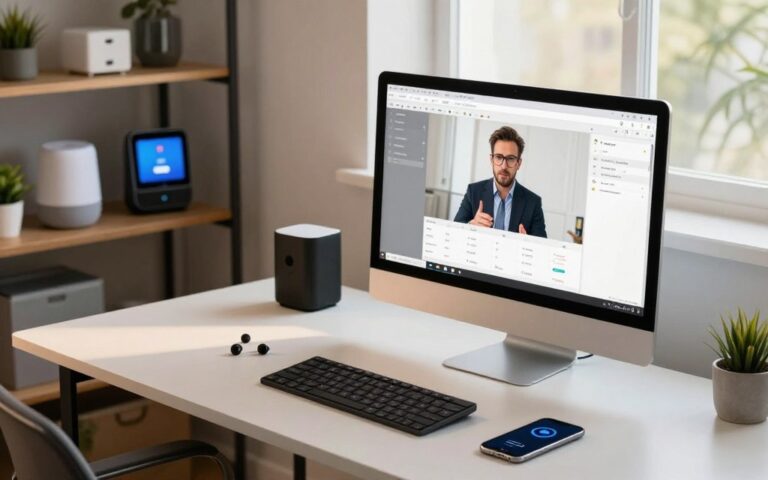
Companies keep their culture alive online. They use virtual team building and digital recognition. You can create a great home office with good internet, a webcam, and noise-cancelling headsets.
Security is important when working from home. Companies use VPNs, single sign-on services, and endpoint security. Talk to your IT team about keeping your devices safe.
Health and Wellness Technology
Health tech is changing how we track symptoms and get care. Wearables, telemedicine, and mental health apps are part of our daily lives. They help us manage our health better by connecting data and services.
Fitness trackers do more than count steps. Devices like Apple Watch, Fitbit, and Garmin track heart rate, sleep, and blood oxygen. They also offer ECG readings, cleared by the FDA. This data goes into Apple Health or Google Fit, showing trends and patterns.
Wearables help us reach fitness goals and spot trends. They support preventive care by alerting us to unusual readings. But remember, they’re not a substitute for a doctor’s diagnosis. They help inform discussions with healthcare professionals.
Telehealth has made routine care more accessible. Platforms like Teladoc, Amwell, and Doctor on Demand offer virtual visits. This is great for those in rural areas or with mobility issues, making it easier to get care.
Mental health tech offers support through apps like BetterHelp and Talkspace. Features like iOS Screen Time and Android Digital Wellbeing help manage screen time. These tools are perfect for busy lives.
Privacy is key when using health apps and portals. Many telehealth services use secure, HIPAA-compliant platforms. Always check privacy notices and app permissions before sharing health data. Understand how your data is stored and who can access it.
Here’s a quick comparison to help you choose the right tools for everyday use and clinical needs.
| Tool | Key Features | Clinical Use | Best For |
|---|---|---|---|
| Apple Watch | Heart rate, ECG, SpO2, sleep, activity sync with Apple Health | ECG feature cleared for atrial fibrillation screening; trend monitoring | iPhone users seeking integrated health metrics |
| Fitbit | Steps, sleep stages, heart rate, guided breathing, Google Fit sync | Useful for activity and sleep counseling; not diagnostic | Users focused on fitness goals and sleep tracking |
| Garmin | Advanced activity metrics, VO2 max estimates, long battery life | Supports training and recovery data for clinicians and coaches | Athletes and outdoor enthusiasts |
| Teladoc / Amwell / Doctor on Demand | Video visits, prescription management, chronic care programs | Effective for non-emergency care and follow-up visits | Patients needing convenient primary or behavioral health visits |
| BetterHelp / Talkspace | Therapist matching, messaging, live sessions | Digital therapy options for anxiety, depression, and counseling | People seeking flexible mental health support |
Education Technology: Learning in a Digital Age
Digital tools are changing how we learn every day. Education technology makes courses more flexible. It helps institutions expand their reach. You see this in massive open courses, university learning management systems, and tools that let you balance study with work or family life.
E-Learning Platforms: Flexibility in Education
You can pick from major e-learning platforms like Coursera, edX, Udemy, and Khan Academy to learn skills on your schedule. Universities rely on Canvas and Blackboard to deliver credited classes. These platforms support lifelong learning, upskilling, and career transitions with microcredentials and certificate programs.
Adaptive learning systems personalize content so you move at your own pace. Employers increasingly accept LinkedIn Learning certificates and other digital credentials when hiring or promoting. This acceptance makes e-learning platforms practical for career growth.
Virtual Classrooms: Engaging Students Online
Virtual classrooms use tools like Zoom for Education, Microsoft Teams for Education, and Google Classroom to host live lessons. Features like breakout rooms, polls, and real-time quizzes help teachers keep students involved. Instructors can track participation and adjust activities to boost engagement.
Interactive apps like Kahoot! and Nearpod add game-like quizzes and multimedia lessons. Virtual reality and augmented reality create immersive experiences for subjects like biology and history. These tech solutions help make concepts tangible and memorable.
Access remains a challenge when broadband and devices are scarce. Federal, state, and nonprofit programs are rolling out initiatives to improve connectivity and distribute devices. Closing the digital divide will let more learners benefit from education technology and virtual classrooms.
| Tool or Platform | Main Use | Key Feature | Best For |
|---|---|---|---|
| Coursera | Online courses and degrees | University certificates and specializations | Career upskilling and degree seekers |
| edX | MOOCs and professional programs | MicroMasters and verified credentials | Academic learners and professionals |
| Udemy | Skill-based courses | Wide course variety by practitioners | Short-term skill acquisition |
| Khan Academy | Free K–12 learning | Standards-aligned lessons and practice | Students and parents |
| Canvas / Blackboard | University LMS | Course management and grading tools | Higher education administration |
| Zoom for Education | Live class sessions | Breakout rooms and polling | Synchronous lectures |
| Google Classroom / Teams | Assignment distribution and collaboration | Integrated apps and tracking | K–12 and college instructors |
| Kahoot! / Nearpod | Interactive assessment | Gamified quizzes and multimedia lessons | Engagement-driven instruction |
Technology and Sustainability
You live in a time where technology and the environment go hand in hand. This section explores how energy systems and products change your lifestyle and help the planet.
Smart grids are advanced electrical networks that manage energy flow digitally. They allow for two-way power communication and programs that balance energy use. Upgrades are happening in neighborhoods and cities thanks to utility pilots and federal efforts.
Your home can join these systems with devices that track and control energy. Smart thermostats like Nest and ecobee learn your habits to save energy. Home energy monitors, such as Sense, show how much energy you use in real-time.
Solar panels with Tesla Powerwall or SolarEdge systems let you store and use your own power. This makes your home more independent and sustainable.
Joining utility programs can lower your bills. Time-of-use pricing and demand-response credits reward you for using less energy during off-peak hours. This makes living smart both cheaper and better for the planet.
New tech focuses on using less energy and waste. Energy Star appliances and LED lighting use less power. Companies are also using sustainable materials and designing products to last longer.
The circular economy aims to reduce waste by making devices repairable and recyclable. Apple and Fairphone are leading the way with programs that encourage recycling and repair. This helps reduce electronic waste.
Big companies are making a difference by committing to sustainability. Microsoft and Google are working to be carbon-neutral. Their efforts influence the products and services we choose, pushing the market towards greener options.
Here’s a quick guide to help you compare home energy choices and eco-friendly products.
| Category | Examples | Benefits | User Impact |
|---|---|---|---|
| Grid Modernization | Advanced metering, demand-response pilots | Resilience, dynamic pricing | Lower outages, potential bill savings |
| Home Energy Devices | Nest thermostat, ecobee, Sense, Tesla Powerwall | Real-time control, storage, optimization | Reduced consumption, participation in incentives |
| Energy-efficient Products | Energy Star appliances, LED lighting | Lower power use, longer life | Smaller energy bills, less replacement waste |
| Circular Economy | Apple recycling, Fairphone modular phones | Material recovery, repairability | Less e-waste, longer device lifespans |
| Corporate Commitment | Microsoft carbon-negative, Google carbon-free goals | Supply-chain reforms, greener products | Broader market shift toward sustainability |
The Future of Work: AI and Automation
Your workday will change with AI and automation. Routine tasks will run on robotic process automation from vendors like UiPath and Automation Anywhere. You’ll use AI assistants like ChatGPT or Google Bard for messages, reports, and ideas.
Machine learning will make customer experiences personal in marketing and support. Cutting-edge devices will link physical workflows to digital systems.
AI is changing your job by augmenting it. Repetitive tasks and simple approvals will be automated. This leaves more time for analysis and judgment.
Roles in data science, product management, and creative strategy will grow. OECD and World Economic Forum reports say some jobs will disappear, but new ones will appear.
To prepare, focus on skills for the future of work. Learn data literacy and basic machine learning on Coursera, edX, or LinkedIn Learning. Practice prompt engineering for large language models.
Strengthen soft skills like critical thinking and emotional intelligence. These skills will keep you valuable when automation handles routine tasks.
At work, use AI responsibly. Keep human oversight in decision loops. Verify AI outputs and favor explainable models. Set clear accountability for results.
Use AI to boost productivity, not replace judgment. Watch evolving rules from the FTC and the EU AI Act for acceptable practices and legal duties.
Below is a quick comparison to help you plan learning and adoption choices.
| Area | What AI/Automation Does | How You Can Act |
|---|---|---|
| Routine Tasks | Automates via RPA and scripts to cut manual work | Learn to design simple automations with UiPath or Automation Anywhere |
| Content & Communication | Drafting and summarizing with ChatGPT or Google Bard | Practice prompt engineering and verification workflows |
| Customer Personalization | ML models tailor offers and service responses | Understand data privacy rules and monitor model bias |
| Device Integration | Cutting-edge devices connect sensors to analytics platforms | Gain familiarity with IoT basics and device data handling |
| Workforce Trends | Shift toward creative, managerial, and technical roles | Pursue reskilling in tech, leadership, and problem-solving |
| Ethics & Regulation | Rules evolving on bias, accountability, and transparency | Implement explainability standards and stay current with FTC and EU guidance |
Navigating Privacy and Security in a Digital World
As you add more tech to your life, you make many privacy choices. Apps gather data, smart devices connect to the cloud, and services share info. The Federal Trade Commission and laws like the California Consumer Privacy Act guide how companies handle your data. But, risks like tracking, breaches, and sharing without permission are still there.
Protecting your personal data
Begin with strong, unique passwords. Use a password manager like 1Password or LastPass to keep them safe. Enable two-factor authentication for your accounts whenever you can. Check app permissions on your phone and remove access you don’t need. Share less on social media to lower your risk.
Device and network safety
Keep your devices and smart home gadgets updated. Install good antivirus software from Norton or Bitdefender. Use WPA3 encryption for your home Wi-Fi and a separate guest network for visitors and IoT devices.
Safe browsing and email hygiene
Be careful of phishing by checking who sent emails and hovering over links. Use privacy-focused browsers like Brave and extensions like uBlock Origin to block trackers. When using public Wi-Fi, use a VPN to keep your data safe.
Privacy tools and built-in settings
Look into privacy features on your devices. On iOS, turn on App Tracking Transparency to control tracking. On Android, use the privacy dashboard to see app access to your camera or location. Check the default settings on smart speakers and cameras to limit data sharing.
Responding to a compromise
If you think your data has been breached, change your passwords and enable 2FA. Contact your bank and watch your accounts for odd activity. Think about using credit monitoring services and report identity theft to the FTC and state authorities. Keep a record of your actions for future reference.
Everyday tech solutions for digital wellness
Choose tech that respects your privacy. Regularly check what you connect, update devices, and limit app data access. These steps help keep your online world safe and support your digital health.
Embracing Changes in Your Lifestyle
Start by figuring out what makes your day better. Make a list of tasks you want to make easier. Look into brands like Apple, Google, and Samsung for what you need.
Try out demos, read reviews, and think about costs and subscriptions. This helps you make a smart choice before buying.
Adapting to New Technologies
Take on new tools slowly to avoid feeling overwhelmed. Start with one device or app and test it out. Use tutorials, classes, or online courses to learn how to use it well.
This way, you can learn at your own pace. It makes using technology safer and more fitting for your life and work.
Finding Balance in a Tech-driven World
Make time for yourself by setting device-free times. Use features like focus modes and app limits to stay on track. Try the Pomodoro technique for regular breaks.
Think about the total cost and how it affects the environment before buying new things. Look into repair, trade-in, or refurbished options to help your devices last longer.
Get involved in your community by teaching others about technology or volunteering. By using smart tools and staying curious, you can enjoy new things while keeping your privacy and connections strong.